
Run Every Trip From a Phone Paperless, Call-Free, GPS-Guided
ActiveRoute’s NEMT driver app helps your drivers manage trips from one simple mobile screen. From dispatch updates to navigation, status changes, and signature capture, everything happens in real time so your team stays connected and on schedule.
AUTOMATED DISPATCHING
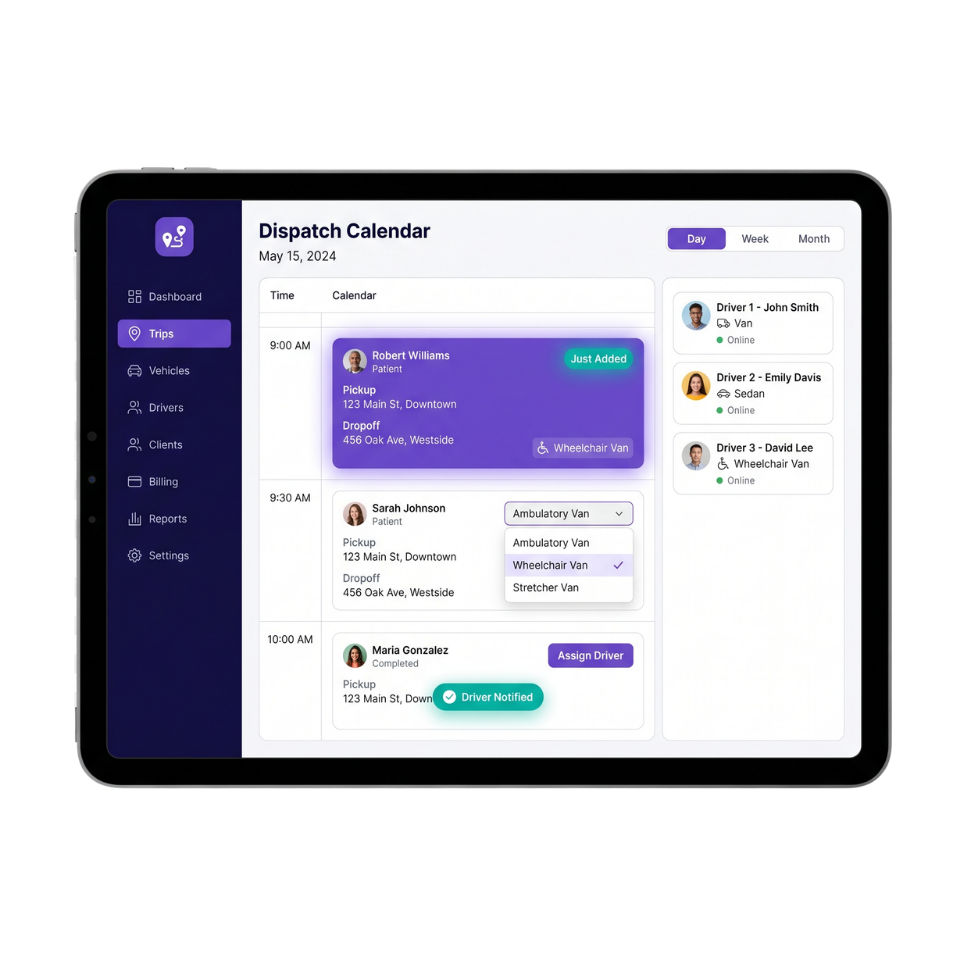
Trips Created Instantly. You Stay in Control of Every Assignment.
The moment a request comes in whether from a broker sheet upload, a facility portal submission, or a direct booking ActiveRoute automatically creates the trip in your dispatch calendar. From there, your dispatcher reviews the details and manually assigns the trip to the right vehicle based on availability and type. Clean, organized, and fully in your hands.
-
Trips auto-created the moment a request enters the system
-
Dispatcher manually reviews and assigns each trip to the right vehicle
-
One-click assignment approval directly from the dispatch calendar
-
Instant mobile app notification sent to the assigned driver automatically
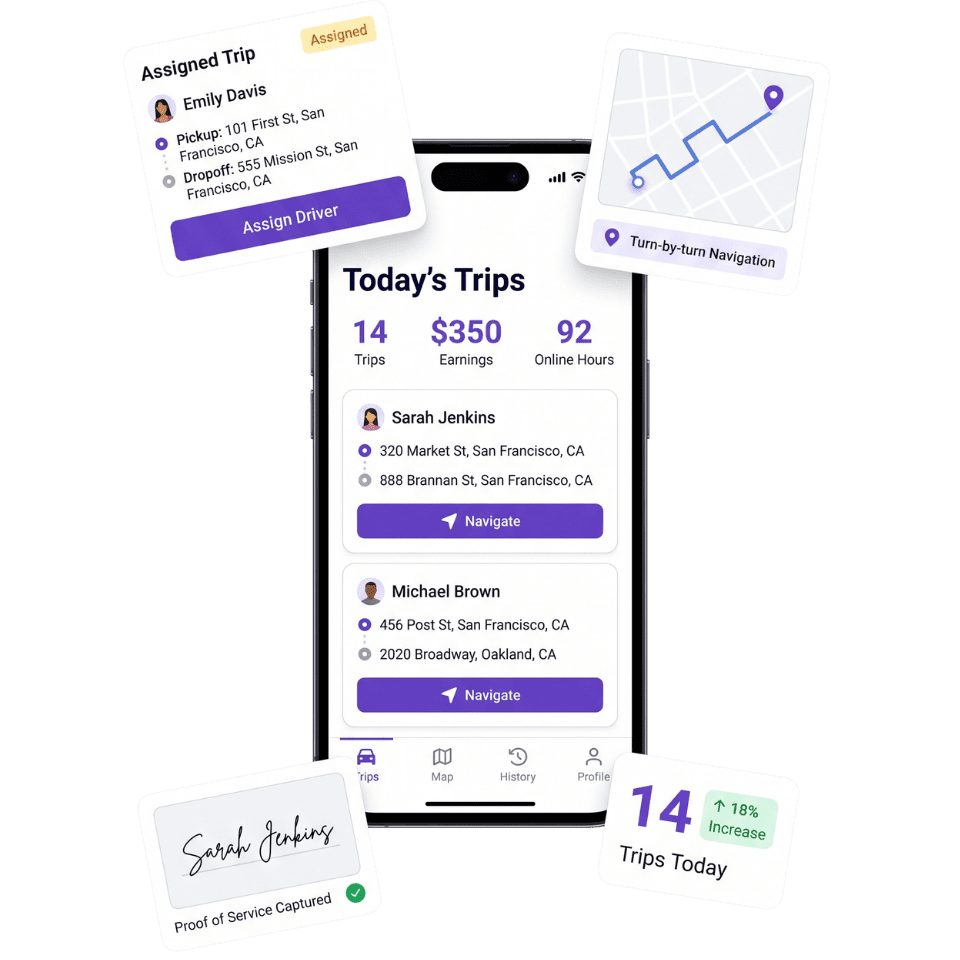
Your Drivers Entire Day, in Four Taps
View the trip, start navigation, update status, capture a signature. That's the whole app learnable in under ten minutes.
Robert Williams
Trip #1042 · Round tripTrip detailsOne-tap status updates
Live navigationPowered by Google Maps
Capture signature
Robert Williams · proof of service
Signature captureHIPAA proof of service
EMPOWERING YOUR NEMT OPERATIONS
Built for the Road, Designed for Simplicity
Trip Details
See pickup, drop-off, and special instructions at a glance so drivers can start every ride prepared.
Live Navigation
Use turn-by-turn GPS guidance with traffic-aware routing to stay on time and avoid confusion.
Status Updates
Update trip progress in one tap, from arrived to picked up to completed, so dispatch always knows what is happening.
Digital Signatures
Capture passenger signatures on the spot for cleaner documentation and faster billing readiness.
FREQUENTLY ASKED QUESTIONS
Common Questions About ActiveRoute's Driver App
What information is included in ActiveRoute's trip reports?
Each trip report includes passenger name, pickup and drop-off addresses, timestamps, driver name, vehicle type, mileage, trip status, and digital signature confirmation — giving you everything you need for broker billing and compliance documentation.
How does one-click invoice generation work in ActiveRoute?
Once a trip is marked completed and the signature is captured, ActiveRoute automatically compiles the trip data into a ready-to-send invoice format. You can review and submit to brokers like MTM, Modivcare, or Veyo in just one click — no manual data entry required.
Can I filter revenue reports by individual broker account?
Yes. ActiveRoute's reporting dashboard lets you filter all revenue and trip data by broker, date range, driver, or vehicle — so you can track performance and billing accuracy across every payer in your network.
How are driver payroll reports generated in ActiveRoute?
Driver payroll reports are auto-calculated based on completed trips, mileage, and your configured pay rates. You can export a clean payroll summary at the end of each pay period without touching a spreadsheet.
Does ActiveRoute's reporting update in real time or at end of day?
All trip data, status updates, and signatures sync in real time. Your reports reflect live operations — not yesterday's data — so your team always has an accurate picture of what's happening right now.
See ActiveRoute's Driver App in Action
top managing trips on whiteboards and phone calls. See how ActiveRoute’s visual calendar and smart trip creation tools can give your dispatchers their mornings back.