



REPORTING & ANALYTICS
See Exactly Where Every Dollar in Your NEMT Business Is Coming From
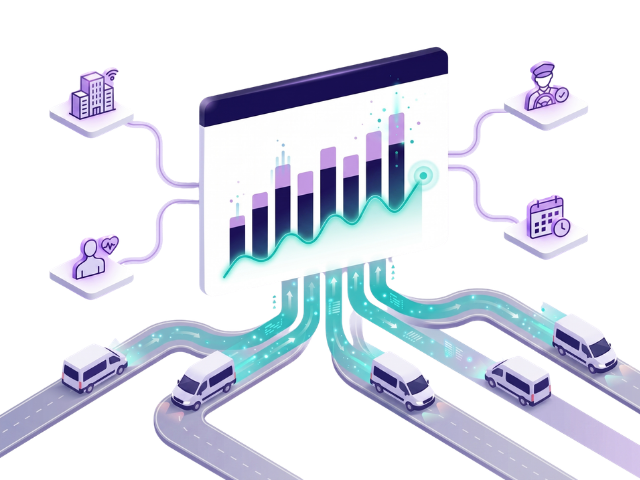
Real-time revenue tracking, detailed trip reports, one-click broker invoicing, and exportable payroll data all filtered by date, driver, patient, or account. Stop guessing and start making decisions backed by real numbers.
HOW ACTIVEROUTE REPORTING WORKS
A Single Reporting System That Gives You Complete Financial Visibility
1
INVOICING
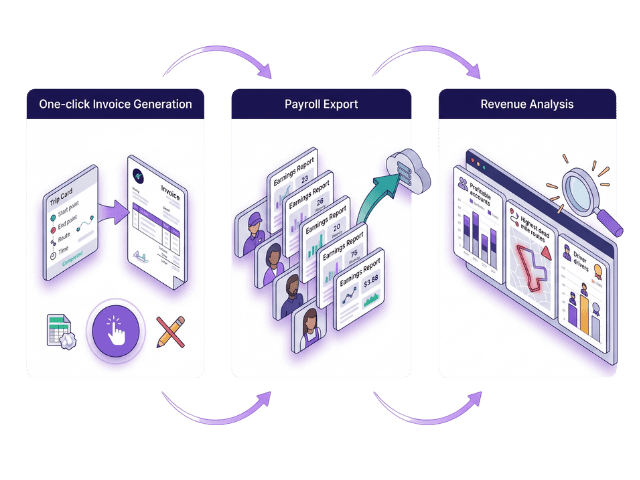
ActiveRoute’s NEMT invoicing software generates a fully itemized, professional invoice in a single click. Select the broker account, choose your date range, and the system pulls every completed trip automatically. dates, patient details, mileage, and the applied rate and builds the invoice for you. No manual data entry. No formatting. No calculation errors. Your NEMT billing goes out the same day trips are completed, so your cash flow never waits on paperwork.
PAYROLL
ActiveRoute’s NEMT payroll software eliminates that process entirely. At the end of each pay period, select your drivers and date range and the system calculates every driver’s earnings automatically per-trip or hourly, W2 or 1099 based on their completed trip records. The full payroll report exports in seconds, clean and ready for your payment process. No manual trip counting, no formula errors, and no time wasted reconciling what each driver is owed.
2
3
TRIP REPORT
ActiveRoute’s NEMT reporting software keeps a complete, tamper-proof record of every trip your fleet completes. Every entry includes scheduled and actual pickup and drop-off times, GPS-verified locations, total mileage, assigned driver, patient details, broker account, rate applied, and driver notes. Filter your entire trip history by date, driver, patient, or account in seconds and export a clean data file for broker reconciliation, Medicaid audits, or internal review. Every trip. Every detail. Always ready.
YOUR DATA. WORKING FOR YOU.
Know Exactly Where
Your Money Is Coming From
Trip Intelligence
Detailed Trip Reports
Every trip logged with full timestamps, mileage, driver notes, and patient details. Filter, export, and review your entire operation history in seconds.
Billing Clarity
One Click Invoice Generation
Generate professional invoices for private-pay patients and broker accounts instantly. No manual calculations, no formatting headaches just accurate invoices,
Revenue Breakdown
Revenue Analysis Dashboard
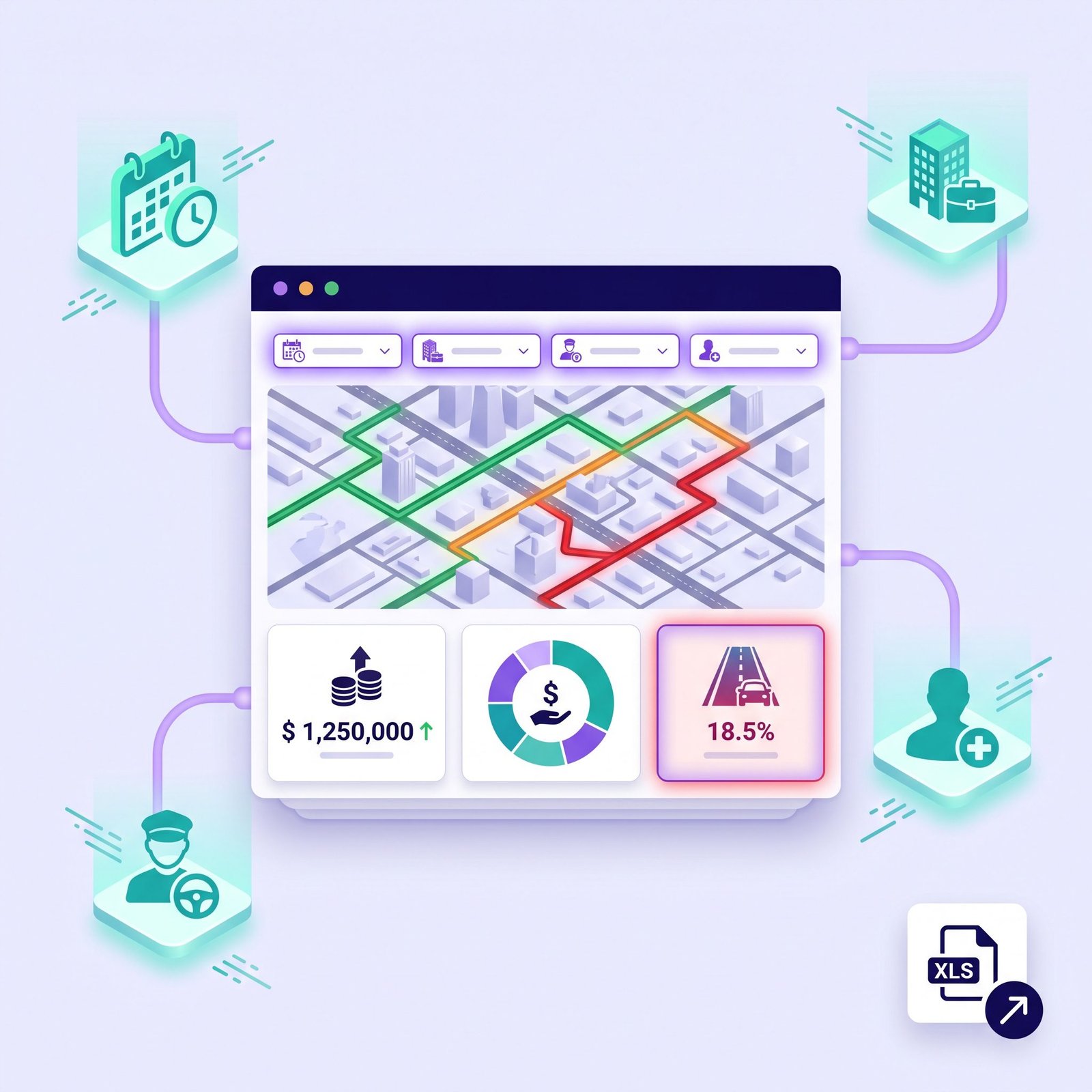
Filter revenue by date, patient, driver, or broker account. See exactly which routes, accounts, and vehicle types are driving your profitability and which aren’t.
BUILT FOR NEMT FINANCIAL CLARITY
Every Number Your Business Needs Always Current, Always Accurate
Live Revenue Dashboard
Your total earnings update in real time as trips are completed throughout the day so you always know exactly where your business stands financially without waiting until month end..
Instant Invoice Generation
Professional broker and private-pay invoices generated in one click from your completed trip data accurate, itemized, and ready to send without touching a spreadsheet.
Exportable Payroll Data
Complete driver earnings reports exported in seconds at the end of every pay period W2 or 1099 calculated automatically from completed trip records with no manual work required.
REVENUE ANALYSIS
Filter Your Entire Business Revenue by Any Variable In Seconds
ActiveRoute’s revenue analysis tools give you that complete granularity with a filtering system that runs across your entire trip history in seconds. Select any combination of date range, account, driver, or patient and the dashboard instantly recalculates to show you exactly the revenue slice you need. You can identify in thirty seconds which broker account generated the most revenue last quarter, which driver completed the most trips last month, and which routes are producing the worst dead mile ratios and use that information to make smarter operational decisions starting the same day.
-
Filter total revenue by date range, broker account, driver, or patient instantly
-
Identify highest and lowest performing accounts with revenue breakdown by source
-
Spot dead mile cost patterns by route, driver, and account to optimize scheduling
-
Export any revenue report as a clean data file for accounting or broker reconciliation
Powerful Customer Insights
ActiveRoute gave us real-time customer insights and boosted our conversions significantly.

Ahmed Khan
Sales Director, AutoDrive Group
Smart Real Time Engagement
Real time alerts and smart insights help us engage customers at the perfect moment.

Sarah Mitchell
Head of Marketing, Prime Motors Network
Faster, Smarter Decisions
We now track customer intent and respond faster than ever. A complete game changer.

Daniel Roberts
Operations Manager, Velocity Automotive
FREQUENTLY ASKED QUESTIONS
Common Questions About ActiveRoute Reporting & Analytics
What information is included in ActiveRoute's trip reports?
Every trip report in ActiveRoute includes a complete record of the trip the scheduled and actual pickup and drop-off times, pickup and drop-off locations, total mileage driven, the assigned driver, the patient details, the broker or account the trip was billed to, the rate applied, and any driver notes logged during the trip. Reports can be filtered by any combination of date range, driver, patient, or account and exported as a clean data file for your records or broker reconciliation.
How does one-click invoice generation work in ActiveRoute?
When you are ready to invoice a broker or private-pay account, you select the account and the billing date range in ActiveRoute and click generate. The system pulls every completed trip for that account within the selected period including dates, patient details, mileage, and the rates applied and builds a professional itemized invoice automatically. The invoice is ready to send immediately with no manual data entry, no formatting work, and no risk of errors from re-entered information.
Can I filter revenue reports by individual broker account?
Yes. ActiveRoute's revenue analysis tools allow you to filter your total revenue by any single broker account, group of accounts, individual driver, patient, or date range or any combination of those variables simultaneously. The dashboard recalculates instantly to show you the revenue breakdown for whatever filter you apply. This makes it straightforward to compare account performance, identify your most and least profitable broker relationships, and track revenue trends over any time period you choose.
How are driver payroll reports generated in ActiveRoute?
At the end of each pay period you select the driver or group of drivers and the date range you want to pay for. ActiveRoute pulls every completed trip for each driver within that period, applies their configured compensation rate per-trip or hourly for W2 or 1099 and calculates their total earnings automatically. The payroll report is generated instantly and exported as a clean data file ready for your payment process. No manual trip counting, no spreadsheet formulas, and no risk of calculation errors.
Does ActiveRoute's reporting update in real time or at the end of the day?
ActiveRoute's revenue dashboard and trip reporting update in real time the moment a driver marks a trip as completed in the mobile app, that trip and its associated revenue appear in your reporting dashboard instantly. There is no end-of-day sync, no manual refresh required, and no waiting until the following morning to see your previous day's numbers. Your financial picture is always current, always accurate, and always accessible from any device.
Make Every Business Decision Backed by Real NEMT Data
Centralized documents, automated expiry alerts, controlled staff permissions, and built in payroll ActiveRoute handles your compliance infrastructure so you can focus on running your fleet.